What Is an OTDR and How Do You Use One?
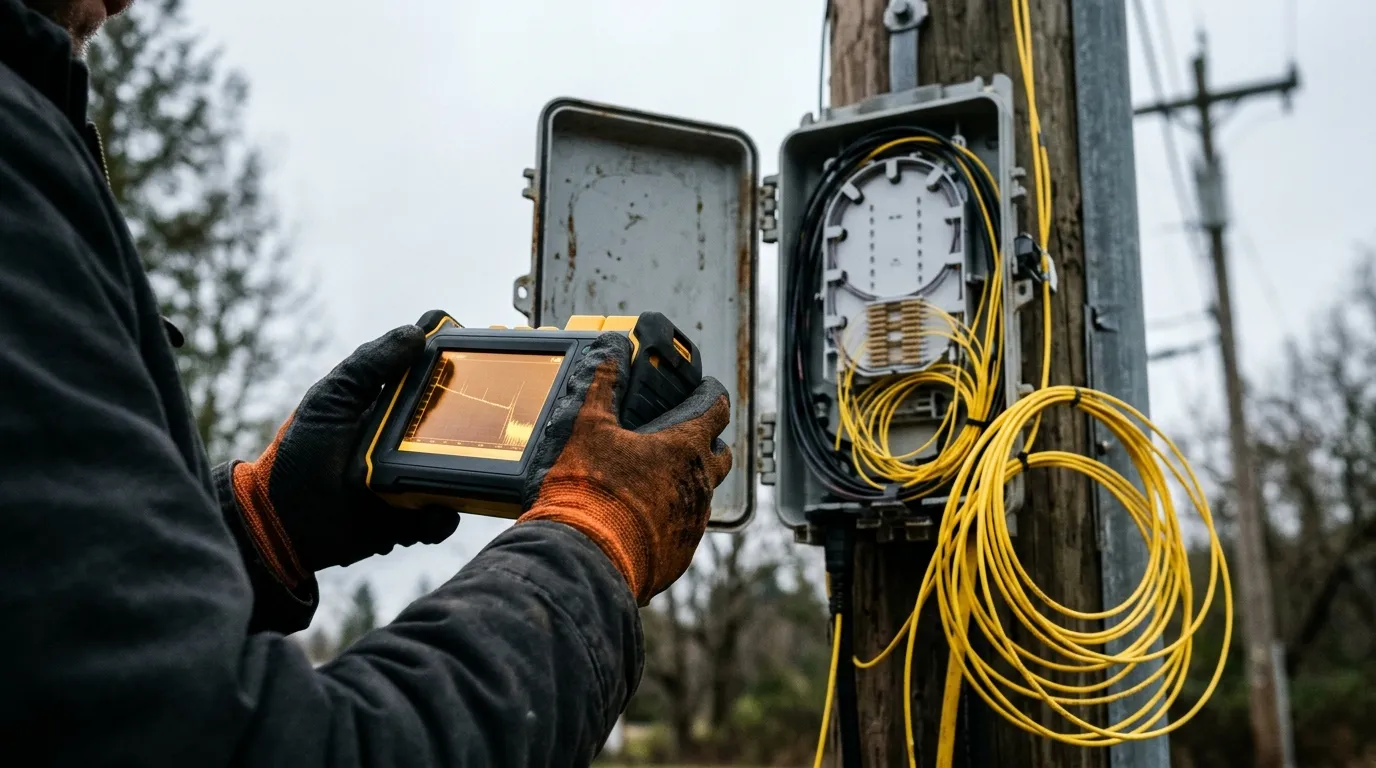
An optical time-domain reflectometer — an OTDR — is the instrument you connect to one end of a fiber link to learn what is happening along the whole length of it: where the splices sit, what each one costs in dB, how far away a break is, and whether the link was built the way the drawing says it was.
It is worth stating the awkward part first. An OTDR does not measure loss. It fires a pulse of light into the fiber, times what comes back — light scattered by the glass itself, plus light reflected from joints — and infers loss from how that returning signal changes with distance. Almost every practical difficulty in OTDR testing follows from that indirection, and so does almost every bad trace that gets argued about on a handover. If you are still building the underlying picture, the fiber optics basics hub covers the physics and the hardware before you get to the instrument.
What an OTDR actually measures
Two optical effects do all the work.
Rayleigh backscatter is light scattered in all directions by microscopic density variations in the glass. A small fraction of it travels back toward the source. Because the amount scattered back is proportional to the pulse energy and to the fiber's backscatter coefficient, the returning signal is a continuous, sloping line: as the pulse travels further, less of it comes back. The slope of that line is the fiber's attenuation, which is why an OTDR can report dB/km without ever measuring a receiver's power.
Fresnel reflection happens where the refractive index changes abruptly — a connector, a mechanical splice, a cleaved end, a break. Those points return a sharp spike rather than a gentle slope. The spike tells you an event is there and how reflective it is; the step down in the backscatter level after it tells you what it cost.
The Fiber Optic Association's reference page on OTDRs works through this mechanism with trace diagrams and is the source for several of the specifics below, including ghosts, gainers and the effect of averaging.
Distance comes from timing. Light has to travel out and back, so the round-trip time is halved to get length, and the loss is halved for the same reason — the signal is attenuated in both directions. The instrument converts time to distance using the group index of refraction you enter for the fiber type, and that entry matters: fiber optic cable carries roughly 1% excess fiber length, so the OTDR measures fiber length, and the cable on the drum is correspondingly shorter than the number on screen. If acceptance paperwork is measured in cable length, the index calibration is not a detail.
What comes out is a trace: distance along the horizontal axis, backscatter power in dB on the vertical axis, with a descending slope punctuated by events. That trace is a picture of where the light went, not a measurement of what the receiver will see. For the physical causes behind that slope, see what causes the majority of loss in fiber optics.
OTDR or power meter: which test answers which question
These two instruments are routinely treated as interchangeable, and they are not. A light source and power meter — an optical loss test set, or OLTS — puts a known power in one end and reads what arrives at the other. It measures end-to-end insertion loss directly, which is what the transceiver at the far end will actually experience. An OTDR measures per-event loss indirectly, from one end, and tells you where the loss is.
Light source + power meter (OLTS) | OTDR | |
|---|---|---|
What it measures | End-to-end insertion loss, directly | Per-event loss and distance, inferred from backscatter |
Ends required | Two — a technician at each end | One (a receive cable at the far end improves it) |
Tells you where a problem is | No | Yes, to within the instrument's resolution |
Best for | Acceptance of total link loss; short premises links | Long outside-plant spans, splice verification, fault location |
Weakness | Cannot separate one bad splice from a marginal link | Does not measure insertion loss; results can differ from OLTS |
The practical rule that follows is simple: use the OTDR to find and qualify events, and use an OLTS to certify the link's total loss. Many international standards will not accept an OTDR alone as the loss test for an installed cable plant, and they accept OTDR testing alongside launch and receive cables as a second-tier method — the position the Fiber Optic Association documents in its five standard ways to test installed cable plants. If your contract names a test method, that method wins over any preference on site.
There is also a floor to where the instrument makes sense at all. OTDRs are most effective on links longer than roughly 250 m (800 ft) or on plants with splices, because each event needs distance around it to be resolved. On short, splice-free premises runs the OTDR is often the wrong tool, and the FOA is blunt about the consequence: OTDR-derived loss on such cabling usually reads lower than insertion loss, which flatters the link and misleads whoever installs the electronics afterwards. What "good" total loss looks like for a given fiber type and length is covered in what is a good dB loss for fiber optics.
The four settings that decide whether a trace is usable
The instrument will happily produce a trace with any settings. Whether that trace can answer your question depends on four of them.
Setting | What turning it up buys | What it costs |
|---|---|---|
Wavelength | Reach — longer wavelengths lose less, so the backscatter stays above the noise floor further out | Bend and stress sensitivity rises; a wavelength that does not match the fiber type makes the dB/km reading meaningless |
Pulse width | More backscatter energy, so the trace survives to the far end | Resolution: close events merge, and the dead zone widens |
Distance range | A wider recording window | Thinner sampling across the same span, and no gain in accuracy |
Averaging | A cleaner noise floor further along the trace, at any pulse width | Acquisition time — the only one of the four that costs nothing in accuracy |
Wavelength: 1310, 1550, 1625 and the multimode pair
Single-mode links are tested at 1310 nm and 1550 nm, and the longer wavelength is the one that reaches further, because fiber loss falls as wavelength rises and the backscatter signal therefore stays above the noise floor for longer. Multimode plants are tested at 850 nm and 1300 nm, at the wavelength the link will actually run.
1625 nm has a different job. Loss and bend sensitivity both increase with wavelength, so 1625 nm exposes tight bends and mechanical stress that a 1550 nm test can pass — the FOA's troubleshooting guidance is to use the longest wavelength available when you are hunting installation stress, which for single-mode means 1625 nm. Instruments that offer a filtered 1625 nm or 1650 nm port do so to keep the test wavelength outside the transmission band, so a fiber that must stay in service can be tested without interrupting traffic; instrument datasheets list those ports separately from the standard test wavelengths for exactly that reason.
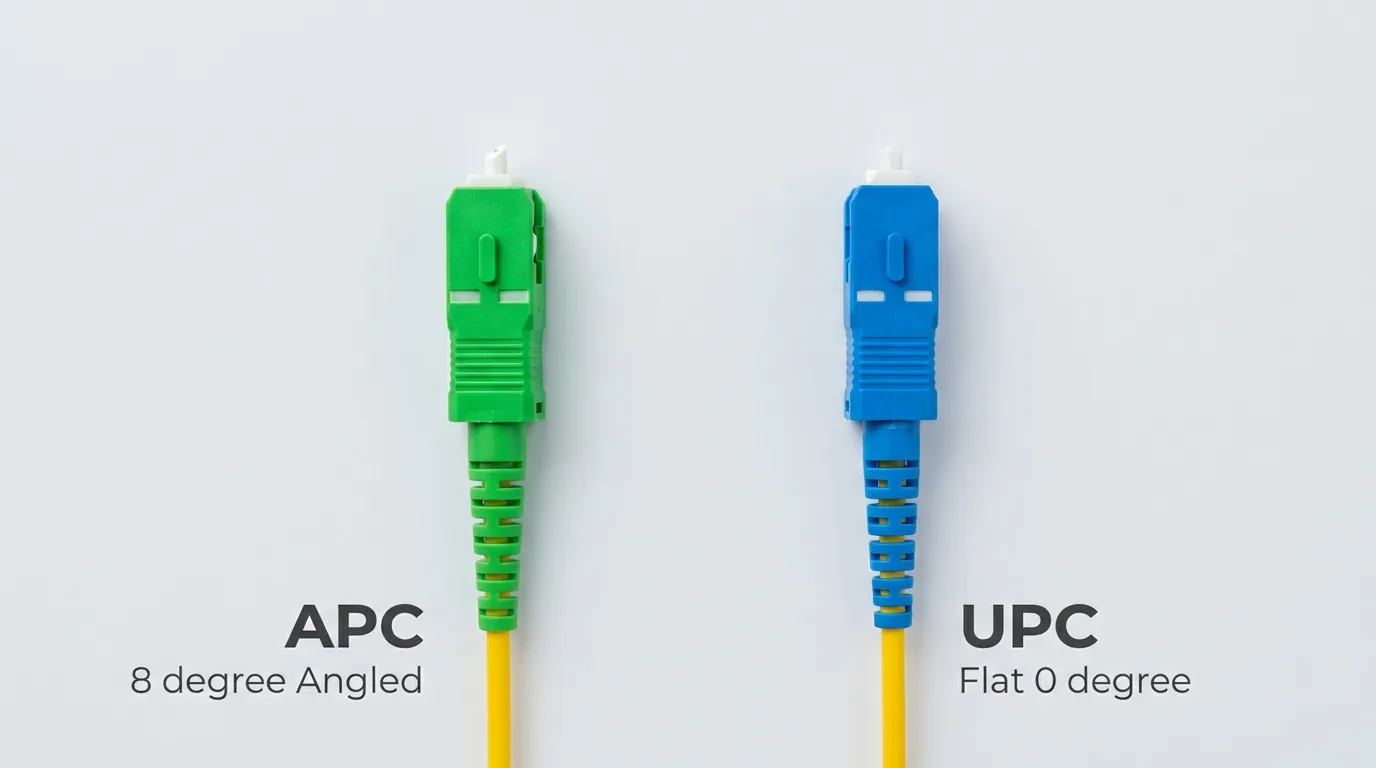
Which fiber you are on decides the set, and mixing them up invalidates the dB/km reading: single-mode vs multimode is worth settling before you plug anything in. Connector polish belongs to the same decision, because an APC end face reflects far less than a UPC one, and reflectance is what creates the reflection peaks you will be reading later (APC vs UPC).
Pulse width: the range-versus-resolution dial
A longer pulse carries more energy, so more light comes back, so the trace stays usable further out. The cost is resolution: the instrument cannot see two events closer together than the pulse allows, and the overload around a strong reflection lasts longer.
The FOA's guidance is the one to keep: set the shortest pulse width that still lets the OTDR reach the end of the link with a reasonable number of averages. Short pulses and more averaging for premises work and dense patch fields; a medium pulse for a first pass on long haul, then re-run at a narrower pulse around anything that looks interesting. If you only ever run one pulse width, and it is the wide one you chose to see the far end, you will not see the first three connectors at all.
Distance range and sampling resolution
Distance range sets the width of the window being recorded. Set it a little beyond the expected length: too short and the trace is truncated before the far end, too long and the same number of samples is spread thinner. Sampling resolution is the spacing between recorded points. It does not make the loss measurement more accurate — a trace sampled every 4 cm is not more truthful in dB than one sampled every 50 cm — but it does set the distance accuracy, which is why the EXFO selection note linked below calls the setting crucial: it defines the instrument's ultimate distance accuracy and its fault-finding capability.
Averaging: buying signal-to-noise with time
An OTDR can fire many pulses and average the returns. The effect is large and visible: in the FOA's own comparison of a single acquisition against 1,024 averaged pulses, the single-shot trace on a 5.5 km span goes noisy at about 3 km, while the averaged trace stays clean to the far end. Averaging does not change what the link is; it changes how much of it you can still read. When a trace "runs out of range" before the end of the cable, the first fix is more averages, not a wider pulse — the second costs you resolution permanently.
Dynamic range and dead zone: the two numbers on the datasheet
If you only compare two specifications between instruments, compare these.
Dynamic range is the total optical loss the OTDR can analyze — in effect, how much fiber it can get through before the backscatter disappears into the noise. Higher is longer. Two cautions. First, it is quoted at a particular pulse width and signal-to-noise criterion, so it describes a best case, not a working range; the far end of your link is always the noisiest part of the trace. Second, it is a one-way figure for backscatter, and detecting a small event at the far end needs the event to stand clear of that noise — so a 40 dB instrument is not a licence to test a 39 dB span and call the last splice good.
Dead zone is the stretch immediately after a strong reflection where the receiver is still recovering and cannot measure anything. There are two, and they are not the same number:
- Event dead zone — how close two reflective events can be and still be told apart. Industry values run from about 1 m to 5 m.
- Attenuation dead zone — how far after a reflective event the instrument can measure loss again. Industry values run from about 3 m to 10 m, and both ranges are the ones published by instrument makers such as EXFO in its OTDR selection note.
Both figures come from the same physical event: a strong reflection saturates the receiver, which then needs time to recover. This is why the answer to "can this instrument test my link" is a geometry question, not a range question. A 15 m MPO trunk between two panels, with an adapter in the middle, puts reflective events roughly 7.5 m apart — close enough that an instrument with a 10 m attenuation dead zone can show you the reflections but cannot give each one a trustworthy loss. Short, dense links need short dead zones, often short-pulse dedicated instruments, and that constraint is usually more expensive than dynamic range. It is also why the order of events on a multi-fiber MPO link and its polarity matters to the person reading the trace: a known order is how you tell a real event from a phantom.
A field procedure that produces a defensible trace
The sequence below is the one that survives review. It is written for a single-mode outside-plant span; the same order works on any link with the settings adjusted.
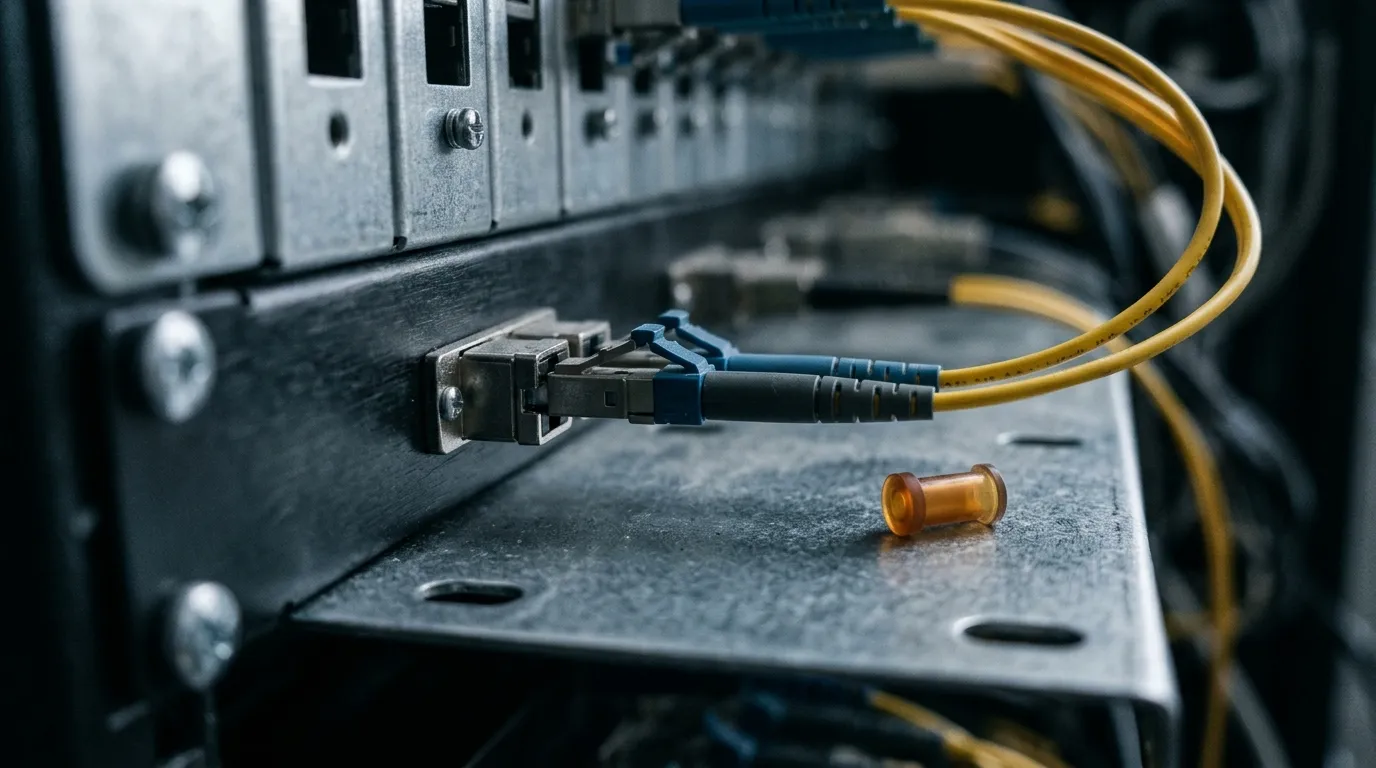
- Inspect and clean both end faces before anything is connected. Contamination scatters and reflects, which manufactures events that are not there. Treat every fiber as live until a power meter has proved otherwise: never look into an end face, a ferrule, an adapter or an instrument port, because an OTDR emits invisible laser light, the hazard class marked on the instrument under IEC 60825-1 applies at that port, and an inspection scope concentrates whatever is in the fiber into your eye. A live-fiber test does not relax any of that — the far end is still transmitting while you work. The inspection criteria — what counts as clean, per connector type — are defined in IEC 61300-3-35. Clean, inspect, and only then mate.
- Connect a launch cable to the instrument. The launch cable is not optional: it moves the instrument's own dead zone into a known length of fiber you do not care about, and it gives the first connector under test a reference connector outside the dead zone. It must be longer than the attenuation dead zone, and it should be the same fiber type and connector style as the link.
- Connect a receive cable at the far end if the far-end connector has to be measured. With only a launch cable the trace stops being trustworthy at the far connector, because nothing terminates it. Standards that accept OTDR as a second-tier method assume both cables are used.
- Set wavelength, distance range slightly beyond the expected length, and the shortest pulse width that reaches the end. Then let the instrument average until the noise floor at the far end is clearly below the trace.
- Check the near end first. If the first connector's reflection is flat-topped or the trace is still recovering well past it, the receiver is saturated and everything in that stretch is unreadable — change the pulse width or re-check that the launch cable is actually long enough.
- Save the trace, then swap ends and save the reverse direction. Two files per fiber, not one. The reason is in the next section.
- Average the splice losses from the two directions and record both raw traces alongside the averaged result.
- Label and archive. Fiber ID, route and span, date, wavelength, pulse width, number of averages, instrument serial, and both directions of the trace. The next test on that fiber will be compared against this file, so a trace with no settings next to it is nearly worthless.
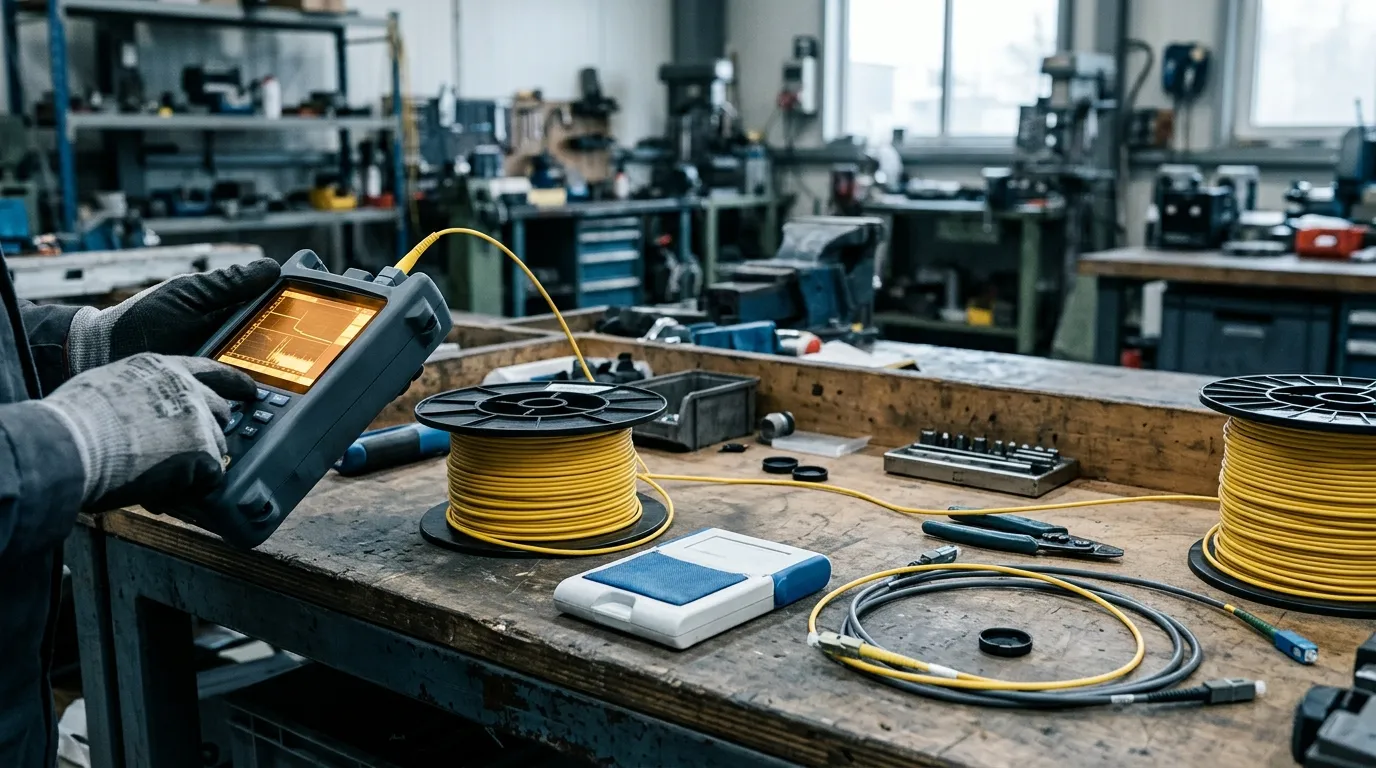
A launch or receive cable is simply a fiber assembly: a known length of the same cable with the same connectors on each end. It is also the accessory most often improvised on site, and an improvised one — wrong fiber type, unknown length, damaged connector — quietly changes the trace it is supposed to protect. It is a cable-assembly job rather than a field improvisation — a known length with known connectors — and it is the one accessory TTI Fiber builds to order: single-mode, multimode and armored patch cords in custom lengths and any connector combination, which matters because the length has to clear the attenuation dead zone. If you are assembling test leads from bulk cable, the splice closure types article is the better reference for how those spans are actually jointed in the field.

Reading the trace: events, reflections, ghosts and gainers
Read the trace in a fixed order, every time. Skipping ahead to the interesting-looking spike is how wrong conclusions get made.
Trace feature | What it usually is | What to verify |
|---|---|---|
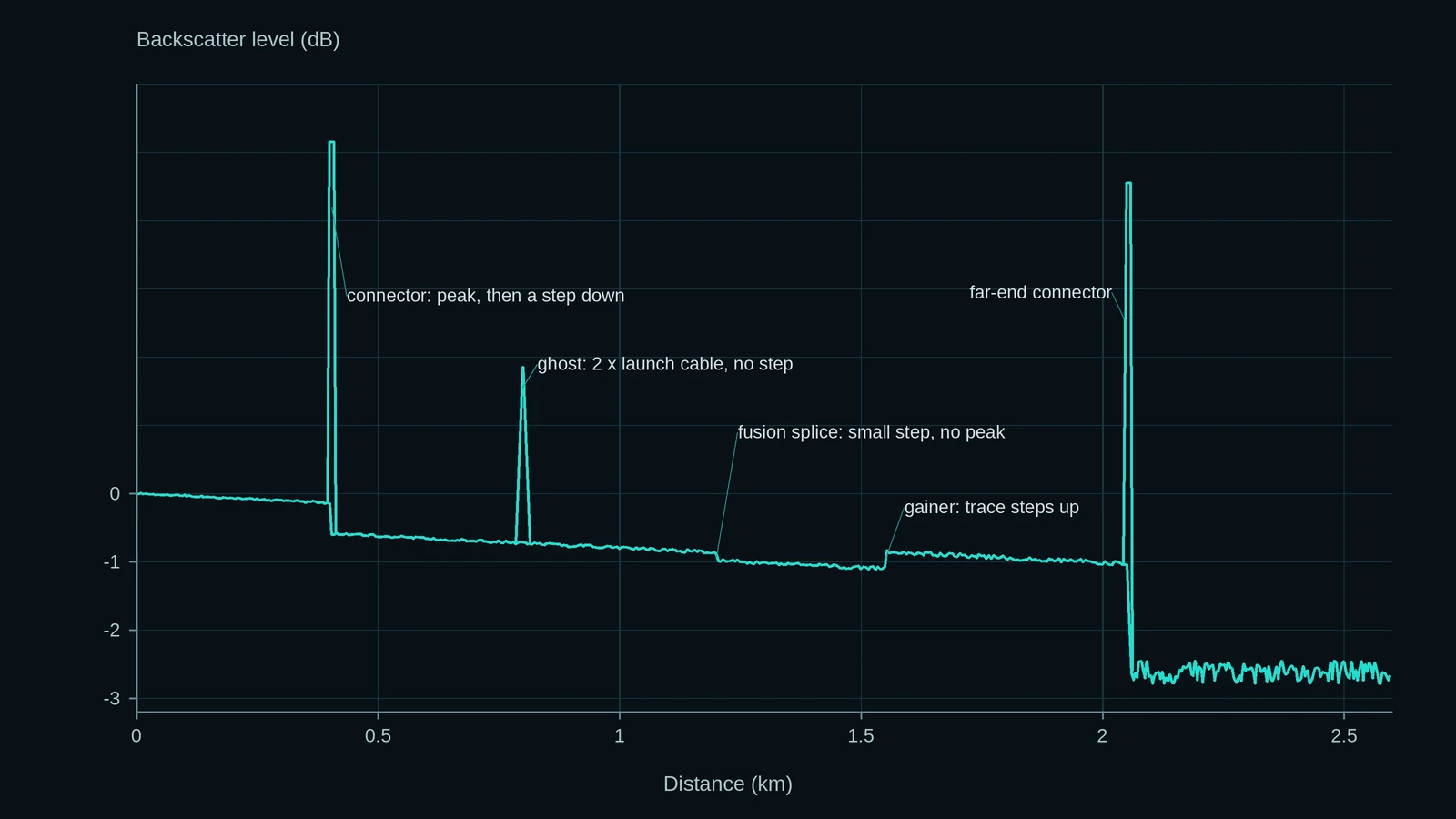
Sharp peak, then a step down | Reflective event: connector, mechanical splice, cleaved end | Reflectance is within spec and the peak is not flat-topped (a flat top means the receiver saturated) |
Step down, no peak | Fusion splice | A good splice can be invisible — check the distance against the splice sheet rather than against visual drama |
Large step of several dB, then a degraded stretch | Splitter in a PON | Loss against the split ratio, and that the following dead zone does not swallow the next event |
Strong peak at the end, no step | Far-end connector or cleaved end | Whether a receive cable was fitted, because without one this connector is unmeasured |
Peak at an exact multiple of a real distance | Ghost | There is no connection there on the drawing |
Apparent negative loss (the trace rises) | Gainer from backscatter mismatch | Re-read the same joint from the other direction before touching it |
Left edge to launch cable end. Ignore everything inside the dead zone. Confirm the launch cable's own length appears where you expect it; if it does not, the index of refraction is wrong.
First connector. Measurable only because the launch cable's connector sits outside the dead zone and gives it something to be referenced against. Without a launch cable this event is reported as zero loss, or not reported at all, and the trace is accepted with an unmeasured connector in it.
The spans. Slope between events is attenuation. A span that is noticeably steeper than the same cable elsewhere is a stress or bend problem, not a splice problem.
The events. Reflective events (connectors, mechanical splices, cleaved ends) show a spike plus a step down. Fusion splices are usually non-reflective: just a small step, sometimes so small that a good splice is invisible — which is normal, and is why knowing the splice count and the expected distances matters more than looking for a dramatic feature. A splitter in a PON shows as a step of its own, several dB deep, with a long stretch of degraded trace after it.
The far end. Either a strong reflection (a connector or a cleaved end) or a clean disappearance into noise (an angled or index-matched termination). A trace that simply stops before the expected length is a break, not a short cable.
Two artefacts account for most of the arguments.
Ghosts are false reflective events that appear at multiples of a real reflection's distance, caused by light bouncing back and forth between two reflective points — typically the launch-cable connector and the far-end connector on a short link. They look exactly like connectors and show no loss. The test for a ghost: is the suspect event at an exact multiple of the launch cable or first span length, and is there no connection there on the drawing? The cure is to reduce the reflection, not to re-splice anything.
Gainers are the opposite problem: an apparent negative splice loss. They occur when two fibers with different backscatter coefficients are joined, so the returning signal after the joint is stronger than before it. The splice is fine; the measurement is not. The same joint read from the other direction shows a "loser" — an exaggerated positive loss — and only the average of the two directions is meaningful. VIAVI's explanation of the effect is the clearest short version: a junction between a lower-backscatter and a higher-backscatter fiber can mask the real loss in one direction and inflate it in the other, and averaging the two directions is what recovers a number that describes the splice rather than the fiber pair (bidirectional OTDR testing). The FOA draws the operational conclusion: averaging two directions is the only way to get an accurate inline splice loss, and re-splicing on the strength of a single-direction reading is how crews chase a problem that does not exist.
Pass or fail: turning a trace into an acceptance decision
A trace is evidence, not a verdict. Two different questions are being asked, and they use different numbers.
Did each event meet its specification? This is per-event: splice loss and connector loss are compared against the thresholds in the project specification or the applicable standard, not against the instrument's opinion. Those thresholds vary by project and by network class, which is why no responsible article — including this one — hands you a single "acceptable splice loss" figure to quote at a handover. Read them out of the contract, and if the contract is silent, out of the standard the project names.
Does the link meet its loss budget? This is end-to-end: the sum of fiber attenuation, splice losses, connector losses and any splitter loss, compared against the difference between transmitter output and receiver sensitivity with margins applied. An OTDR trace can populate the individual terms beautifully and still not be the accepted measurement of the total, because it infers rather than measures. That is the reason the second-tier framing exists, and the reason a documented OLTS result usually sits next to the traces in a complete handover package. In premises work the applicable cabling standard is TIA-568; outside plant projects usually name their own.
What makes the package defensible is less glamorous than either number: both directions saved, settings recorded, end faces inspected before mating, launch and receive cables documented as part of the test configuration, and the as-built traces archived so that the next test has a baseline to differ from.
Five mistakes that invalidate an OTDR test
- Testing in one direction only. Every splice loss is biased by backscatter mismatch; the bias has a sign that depends on direction. One direction cannot distinguish a good splice from a bad fiber match.
- Using one pulse width for everything. Wide enough to reach the far end is usually too wide to see the near end. Narrow enough to resolve the patch panel often will not reach the far end without heavy averaging.
- Testing dirty connectors. A contaminated end face produces a reflection that looks like a defect and a loss that belongs to the dirt. The FOA's cautionary framing is worth remembering:
> Improper use can be misleading and, in our experience, lead to expensive mistakes for the contractor. We have been personally involved in several instances where misapplication of OTDR testing has cost the contractor as much as $100,000 in wasted time and materials. > > — FOA, OTDR FAQs
- Ignoring the first event. The connector at the instrument end of the link is the one that disappears most quietly: without a launch cable it lives inside the dead zone and either reads zero or does not appear at all.
- Treating the trace as the acceptance test. Many standards do not accept OTDR alone for installed-plant loss. If the deliverable is "the link passes", the trace is supporting evidence, not the verdict.
FAQ: what buyers actually ask
What is an OTDR used for?
Locating and qualifying events on a fiber link from one end: verifying that splices were made properly, measuring their loss, finding breaks and their distance, confirming total length against the as-built drawing, and documenting a link so that future faults can be compared against a known-good trace. It is a diagnostic and verification instrument, not a substitute for an insertion-loss test.
Can you test multimode fiber with an OTDR?
Yes — multimode instruments test at 850 nm and 1300 nm, and the physics is identical. The practical differences are shorter links, higher attenuation, and a launch condition problem: multimode backscatter and modal filling make OTDR results on short multimode runs less comparable to insertion loss than on single-mode. On short premises multimode links, treat the OTDR as a fault-finding tool and the OLTS as the acceptance test.
How do I set up an OTDR test?
Clean and inspect both end faces, attach a launch cable longer than the instrument's attenuation dead zone, attach a receive cable at the far end if the far connector must be measured, set the wavelength for the fiber type, set the range slightly beyond the expected length, choose the shortest pulse width that reaches the end, average until the noise floor is clean, then save both directions with all settings recorded.
How much does an OTDR cost, and what drives the price?
No figure is quoted here, because instrument pricing moves with region, calibration package and port configuration faster than any article can track. What sets the price is the specification: dynamic range, how short the attenuation dead zone is, how many wavelengths and whether a filtered live-test port is included, whether it carries a PON-optimized mode for splitter branches, and how much reporting software is bundled. For most field work the honest purchasing question is not "how much range" but "how short a dead zone do the links I actually test require" — and then budget for the launch and receive cables as part of the kit, because without them the instrument cannot do the job it was bought for.
The bottom line
An OTDR is a distance-resolved inference engine: it tells you where things are and what they cost, from one end, using light that comes back. Everything that makes a trace trustworthy sits outside the box — clean end faces, a launch cable long enough to get past the dead zone, a pulse width chosen for the link rather than the convenience of the operator, two directions instead of one, and a splice-loss average rather than a single reading. Get those five right and the trace will survive a review. Get them wrong and no amount of dynamic range will save it.
If you are working through the rest of the measurement chain, the fiber optics basics hub collects the fundamentals — loss, budgets, fiber types and the hardware those tests are run on.